Olivet student systems: where each part of your clinicals lives
At Olivet Nazarene University, a single practicum touches several systems. Canvas holds your courses and the clinical requirements course, Olivet email carries every official message, Project Concert tracks competencies and encounters, and QualifiedFirst or CastleBranch holds compliance, depending on your handbook. Here is what goes where, and who to contact when something breaks.
Get your placement plan
Tell us your Olivet program and where you live. A placement advisor replies with the preceptor and site options that fit your Olivet course.
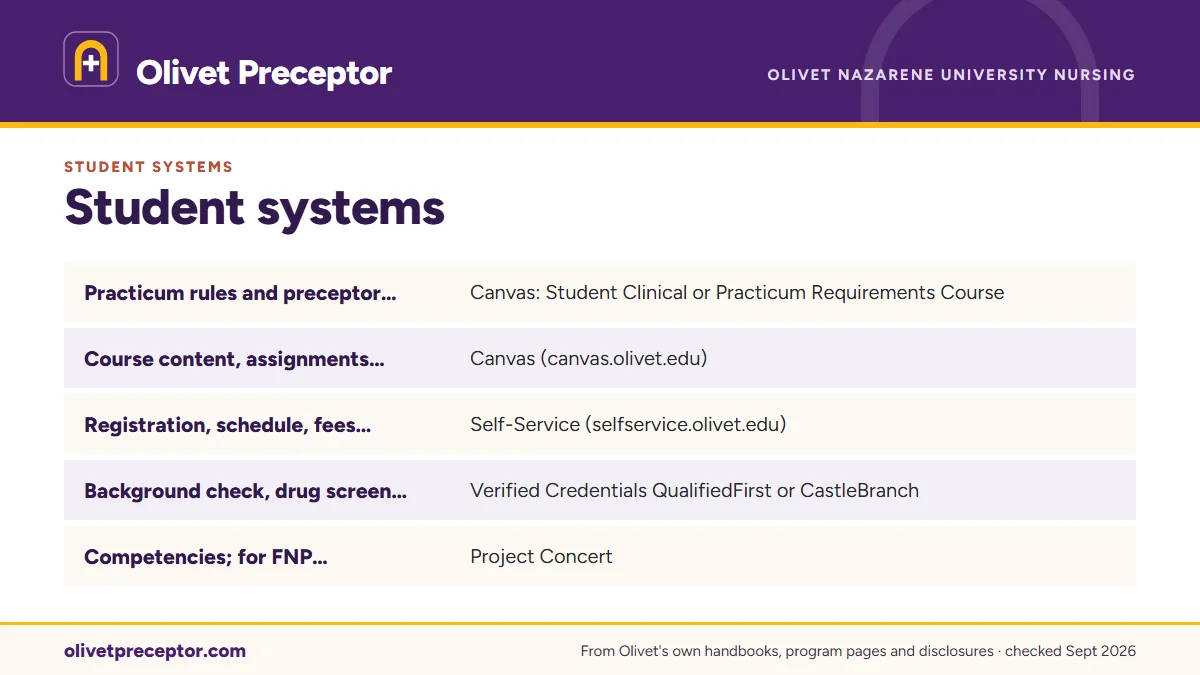
The clinical map: what lives where
Olivet runs clinicals through several systems rather than one portal. Each task has a home, and knowing which one keeps you from waiting on the wrong inbox. The table follows a practicum from the requirements to graduation.
| Task | Where it lives | Note |
|---|---|---|
| Practicum rules and preceptor criteria for your track | Canvas: Student Clinical or Practicum Requirements Course | Not public; visible once you are enrolled |
| Course content, assignments and course grades | Canvas (canvas.olivet.edu) | Courses open before the start date |
| Registration, schedule, fees, final grades, transcripts | Self-Service (selfservice.olivet.edu) | Registration for every course |
| Background check, drug screen, immunizations, BLS, insurance, RN license | Verified Credentials QualifiedFirst or CastleBranch | Depends on your handbook version |
| Competencies; for FNP, clinical encounters and documentation | Project Concert | Also verifies compliance items in the new curriculum |
| Onboarding at some clinical sites | MyClinicalExchange | Only where the site uses it |
| Official messages with faculty, advisors and the coordinator | Olivet email (Outlook) | The required channel |
| Proctored exams | ProctorU | FNP students may request an Olivet testing location |
| Signed documents | DocuSign | Named in the current-curriculum handbook |
| Intent-to-graduate form | my.olivet.edu portal | Filed ahead of graduation |
| Technology problems | IT Help Desk (it.olivet.edu) | Self-help articles and support tickets |
Canvas: your courses and the requirements course
Canvas is where each course lives, from syllabus and assignments to grades, and Olivet opens courses before their start date so you can read ahead. The track-specific Student Clinical or Practicum Requirements Course is reached from the same Canvas dashboard; how you get into it depends on your curriculum, as the requirements course guide explains.
Inside Canvas you will also meet the tools the handbook lists: Shadow Health simulations, Turnitin similarity checks, Kaltura video, Microsoft Teams or BigBlueButton for live sessions, and Tutor.com for tutoring.
Deadlines run on Central time. The course week starts Monday at 12:01 a.m. CST and ends Sunday at 11:59 p.m. CST, and clinical assignments close at 11:59 p.m. CST on a course's final day. If you live in another time zone, convert once and set reminders; the eight-week courses page shows how clinical hours fit that week.
Olivet email is the official channel
Olivet's handbook requires students to monitor their Olivet email, and it is the channel faculty, advisors and the SON Clinical Coordinator expect to use. Send preceptor details, questions about a site and anything you may need to show later from that account, and keep each placement in a single thread. Put your name, track and course number in the subject line so the message reaches the right person on the first read.
Mailboxes Olivet names for clinical matters
- GraduateNursing@olivet.edu: the MSN/PG-APRN Program Support Coordinator and clinical coordination questions.
- FNPpracticum@olivet.edu: FNP practicum questions about states, including Kansas.
- onlineadvising@olivet.edu: address changes, leaves of absence and withdrawals.
- bsnpracticum@olivet.edu: preceptor paperwork for RN-BSN students whose core courses began before August 2026.
The roles behind each mailbox, and when to go to which, are laid out in who does what.
Compliance and tracking systems
Compliance lives with one of two vendors, depending on which handbook governs you. Under the new-curriculum MSN/PG-APRN handbook, the University's designated compliance management system is Verified Credentials QualifiedFirst, with Project Concert checking each item, while CastleBranch holds the same list under the current-curriculum handbook. New-curriculum RN-BSN students split it: background check and drug screen in QualifiedFirst, and Tdap, TB, BLS and health insurance proof in Project Concert. Whichever vendor you use, every upload must show your name, demographic details, the result and the date, as the handbook requires.
Project Concert is also where your practicum record builds. Olivet's fee sheet lists it as competency tracking for NEL students, and as competency plus clinical-encounter tracking and documentation for FNP students. Olivet's current handbooks name no other clinical log. The QualifiedFirst and Project Concert guides go deeper.
Self-Service, the portal and online forms
Self-Service handles the administrative side: registering for courses, checking your schedule and fees, reviewing aid, and seeing final grades and transcripts. When a clinical course is next in your sequence, confirm the registration there before you ask a preceptor to hold dates. Registration and preceptor planning run on the same calendar, so recheck both whenever a start date moves.
The my.olivet.edu portal is where the handbook sends MSN students to file the intent-to-graduate form, and MSN commencement happens only in May. Olivet's online forms site, etcentral.olivet.edu, carries requests such as transfer or prior learning credit. RN-BSN students with hospice or palliative experience, or CHPN certification, can ask there about Prior Learning Credit for NRSG 364. Account and sign-in self-service runs through Olivet's Microsoft account page, and the library's campus-links menu leads to the MyOlivet SharePoint site.
Benner Library and the IT Help Desk
Benner Library's Olivet Online quick-start guide, revised December 19, 2025, gives online students the same sign-in they use for Canvas and email, interlibrary loan, and librarian appointments by phone or Teams. The nursing guide lists CINAHL Complete, Medline, UpToDate and Bates' Visual Guide, which suit clinical preparation: reading up on a patient population before a first day, or reviewing an exam technique before a precepted visit. The I-Share catalog through CARLI widens what you can borrow.
When Canvas, email or another system stops working, the IT Help Desk at it.olivet.edu takes tickets through its TeamDynamix portal and posts self-help articles. For exams, ProctorU handles online proctoring, and FNP students may ask by the end of Week 1 to sit the midterm and final in person at an Olivet testing location, subject to availability.
Why Olivet students choose us
Our placement work is built around Olivet's own systems. We deliver preceptor and site details organized for the channel your requirements course names, ready to send from your Olivet email, and we mark the dates that matter on your calendar: the drug screen window, annual TB and flu, BLS renewal and any site onboarding through MyClinicalExchange. Students on the current curriculum get the same preparation mapped to CastleBranch and the NRSG 665 sequence.
When a preceptor needs to know how Olivet documents the experience, we explain Project Concert's role and faculty's place in evaluation in plain terms. Olivet approves every preceptor, and the file you send it is complete on the first pass. Tell us your track and next clinical course on the contact form.
Questions Olivet students ask
Which Olivet system records my clinical hours?
Project Concert. The fee sheet describes it as competency tracking across the graduate tracks, with clinical-encounter tracking and documentation added for FNP students. Your track's Canvas requirements course sets the practicum requirements, so read it before your first clinical day to see what Olivet expects of your entries.
Where is the Olivet preceptor approval form?
Olivet does not publish the graduate approval form's name or how it is submitted. It sits with the practicum requirements in your track's Canvas course, which becomes visible once you are enrolled. If you cannot find it there, ask the SON Clinical Coordinator through GraduateNursing@olivet.edu.
Why didn't I get a Canvas invitation to the clinical requirements course?
It depends on your curriculum. New-curriculum students are enrolled automatically and receive an email invitation that also appears on the dashboard, while current-curriculum students enroll themselves before the role course (NRSG 629 in Education, NRSG 627 in the FNP). If neither fits your situation, write to GraduateNursing@olivet.edu.
Can I use a personal email for clinical messages?
Use your Olivet email. The handbook makes it the required channel and expects you to watch it, so messages from faculty, the SON Clinical Coordinator and the Online Advising Team arrive there. Reply from the Olivet account as well, so every placement conversation stays on the record Olivet uses.
Who fixes Canvas or email problems during a clinical week?
The IT Help Desk. Its portal at it.olivet.edu has self-help articles and takes support tickets, and the handbook lists it as the technology contact. If a system problem threatens a clinical deadline, tell your course faculty by Olivet email as well, since due dates run on Central time.
Related pages
Last checked 2026-09-25
We check these pages against Olivet's own handbooks, program pages, fee sheet and licensure disclosures. Your handbook version, your Canvas clinical requirements course, your faculty and the SON Clinical Coordinator have the final word.
Olivet asks you to start with your own network. We make the search the easy part of your program.
Tell us your Olivet track, where you live and when your next clinical course starts. We find preceptors whose patients fit the course, inside Olivet's approved states, and prepare everything Olivet's approval and the site's onboarding need.
- Preceptors matched to the course: adults and older adults for
NRSG 636C, women's health forNRSG 637C, children forNRSG 638C, education and leadership forNRSG 620 - Credentials, license and site details ready before your clinical course opens, with the drug screen timing on your calendar
- In your own community, in Illinois or any state Olivet approves for your clinicals
Start your placement plan
Track, city and start date is all we need to begin.