MyClinicalExchange at Olivet Clinical Sites
MyClinicalExchange enters an Olivet Nazarene University practicum only through the site. Olivet's School of Nursing fee sheet names it as a site-dependent platform with its own charge, which applies only when your clinical site uses it. Whether you meet it depends on the preceptor and site you land, so find out early and fit the site's onboarding in before your first clinical day.
Get your placement plan
Tell us your Olivet program and where you live. A placement advisor replies with the preceptor and site options that fit your Olivet course.
What Olivet says about MyClinicalExchange
Olivet's own description is short, and it is worth reading exactly. The fee sheet for the School of Nursing tracks, dated August 17, 2026, lists a MyClinicalExchange platform charge and marks it as applying only to sites that use the platform. Among the systems Olivet names around clinical compliance, MyClinicalExchange is the one labeled site-dependent.
That label is the key fact. Canvas, Project Concert and your compliance vendor come with your Olivet track. MyClinicalExchange comes with a particular clinical site, and two students in the same course can have entirely different experiences depending on where their preceptors practice.
Olivet's public pages stop there. The site that uses the platform is the one that explains its own steps, deadlines and charge, so your questions about it go to the site's student onboarding contact, with your course faculty as the backstop.
How to know whether your site uses it
You find out from the site, and the best moment to ask is the day a preceptor agrees to take you. The preceptor may not handle student paperwork personally, so ask who at the site does, such as an education department or a student coordinator. Put these questions to that person in writing:
- Does the site onboard students through MyClinicalExchange, or through its own process?
- What does the site charge students, and for what: the platform, parking, an ID badge, insurance?
- What does the site require beyond Olivet's compliance list?
- How long does the site's onboarding usually take, and what is its cutoff before a start date?
- Who confirms to the preceptor that you are cleared to begin?
Keep the answers with your practicum notes. They tell you how much lead time the site needs, which shapes when you send Olivet what it needs for preceptor approval and when the rest of your compliance has to be finished.
Where it sits beside Olivet's own systems
Olivet names a small set of systems around the practicum, and each has a different owner and job. Keeping them apart saves confusion when a site asks for documents you have already uploaded somewhere else.
| System | How Olivet describes it | Who uses it |
|---|---|---|
| Canvas requirements course | Sets the practicum requirements for your track | Every graduate student |
| Verified Credentials QualifiedFirst | The university's designated compliance management system | New curriculum |
| CastleBranch | Compliance items and the background check | Current curriculum |
| Project Concert | Competency tracking; clinical-encounter documentation for FNP; verifies compliance items in the new handbook | FNP and NEL tracks |
| MyClinicalExchange | A site-dependent platform with its own charge | Only students placed at sites that use it |
Olivet's handbook asks you to complete and maintain every compliance item in its designated system, so a site's platform comes in addition to that work, not in place of it. The QualifiedFirst page covers the new-curriculum side.
The charge, and the site costs that travel with it
The MyClinicalExchange charge sits in the site-dependent part of Olivet's fee sheet, next to other costs a clinical site can add, like parking, an ID badge or an individual malpractice policy. Students carry these lines when the site asks for them, and the amounts come from the site or from Olivet's current sheet.
Because they follow the site rather than the course, these costs are easy to miss in a budget built from the program page alone. A student whose site uses no platform and adds no parking or badge charge meets none of them; a student at a large site may meet several at once. The costs page sorts every line on Olivet's fee sheet by who carries it.
Insurance deserves its own check. Olivet's MSN handbook makes FNP and PG-APRN students carry malpractice coverage only if their site calls for it, and the fee sheet counts liability coverage among items covered by the university. The malpractice insurance page explains how to square the two.
Onboarding before your start date: a working order
Olivet sets two fixed points: compliance complete ahead of your first clinical day and maintained all the way through, and a drug screen that clears between two and four weeks ahead of the practicum. Everything a site adds has to fit around those. A practical order looks like this.
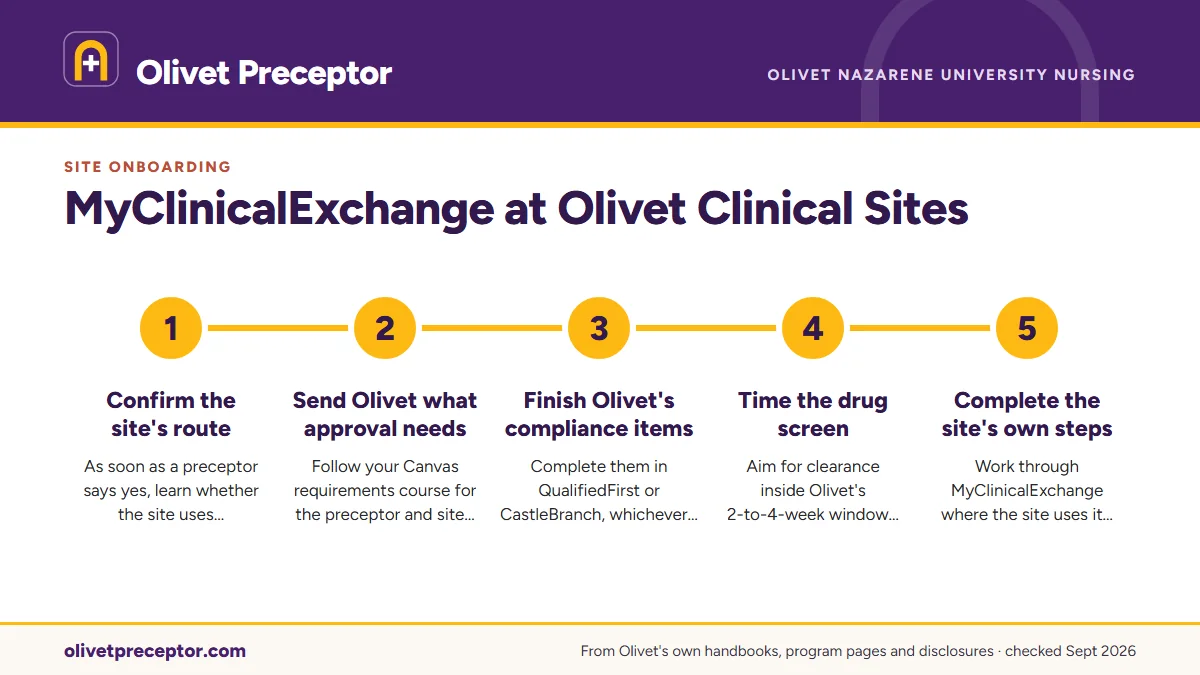
- Confirm the site's routeAs soon as a preceptor says yes, learn whether the site uses MyClinicalExchange and what its onboarding asks for.
- Send Olivet what approval needsFollow your Canvas requirements course for the preceptor and site details Olivet reviews.
- Finish Olivet's compliance itemsComplete them in QualifiedFirst or CastleBranch, whichever your curriculum names.
- Time the drug screenAim for clearance inside Olivet's 2-to-4-week window before the start date; the drug screen page covers the details.
- Complete the site's own stepsWork through MyClinicalExchange where the site uses it, pay any site charges and meet any extra site requirements.
- Confirm you are clearedCheck with your preceptor that the site is ready for you, then log from day one in Project Concert.
Documents that make any site's onboarding smoother
Sites that ask for their own onboarding often want the same records Olivet does, in their own format. Olivet's handbook asks that every uploaded item carry your name, your demographic details, the result and the date it was done, and records kept to that standard are easy to reuse when a site asks for them. Keep clean copies of:
- Your in-person AHA BLS card, valid through the whole practicum
- Titer results showing immunity to MMR, varicella and hepatitis B
- The year's negative TB result and flu vaccine, and a Tdap within 10 years
- Your physical on Olivet's Health and Immunization Form
- Proof of personal health insurance and your current, unencumbered RN license
Background results travel differently. When a background check is flagged, Olivet informs the sites, and the decision to accept the student rests with each one, so a site's onboarding may pause on that decision. The full list sits on the compliance checklist.
Why Olivet students choose us for site onboarding
The best time to learn about a site's onboarding is before you say yes to it, and our desk works that way for every Olivet student. For each preceptor we propose, we check whether the site onboards students through MyClinicalExchange, what charges it lists and which items it wants beyond Olivet's list, then map those steps against your start date and the screening window.
The preceptors themselves practice near you, in a state on Olivet's approved list, and see the patients your course covers. We assemble what Olivet needs to review them, so Olivet reviews a packet with nothing left to chase. If your preceptor leaves partway through, we begin the replacement search right away. Our how it works page has the full sequence, and the form below gets you started.
Questions Olivet students ask
Does every Olivet clinical site use MyClinicalExchange?
No. Olivet's fee sheet treats MyClinicalExchange as site-dependent, with a charge that applies only where the site uses the platform. Your course, track and curriculum do not decide it; the site your preceptor practices at does. Ask the site's student onboarding contact as soon as a preceptor agrees.
Who pays the MyClinicalExchange charge for Olivet students?
Olivet's fee sheet lists it among the site-dependent costs a student carries, alongside possible site fees for individual malpractice insurance, parking and an ID badge. It applies only when your site uses the platform. For the amount, check Olivet's current fee sheet and ask the site directly.
Is MyClinicalExchange the same as QualifiedFirst or CastleBranch?
No. Olivet names Verified Credentials QualifiedFirst as its compliance system in the new curriculum and CastleBranch in the current one, and you complete Olivet's items there whatever site you land. MyClinicalExchange is the one Olivet labels site-dependent, so it comes on top of your Olivet compliance only at sites that use it.
Can I start clinical hours before the site finishes onboarding me?
Olivet requires its compliance before the first clinical day, and its handbook allows that a site may add requirements of its own. Treat the site's steps as part of the same deadline, and confirm with your preceptor that the site has cleared you before you log a single hour in Project Concert.
Do Traditional BSN students deal with MyClinicalExchange?
Olivet's BSN handbooks do not name it. Level 0 students finish clinical site orientation and site-specific requirements by the due date they are given, and Levels 1 to 4 students finish OLIE and site requirements by the clinical coordinator's deadline. Follow the clinical coordinator's instructions for each assigned site.
Related pages
Last checked 2026-09-25
We check these pages against Olivet's own handbooks, program pages, fee sheet and licensure disclosures. Your handbook version, your Canvas clinical requirements course, your faculty and the SON Clinical Coordinator have the final word.
Olivet asks you to start with your own network. We make the search the easy part of your program.
Tell us your Olivet track, where you live and when your next clinical course starts. We find preceptors whose patients fit the course, inside Olivet's approved states, and prepare everything Olivet's approval and the site's onboarding need.
- Preceptors matched to the course: adults and older adults for
NRSG 636C, women's health forNRSG 637C, children forNRSG 638C, education and leadership forNRSG 620 - Credentials, license and site details ready before your clinical course opens, with the drug screen timing on your calendar
- In your own community, in Illinois or any state Olivet approves for your clinicals
Start your placement plan
Track, city and start date is all we need to begin.